


April Fools' Day pranks fade away, but the danger from scammers never takes a break.
Spring is prime time for cybercriminals to strike, not due to negligence but because busy schedules and distractions create the perfect storm for deception.
During hectic days, cleverly disguised scams slip through unnoticed, blending seamlessly into routine tasks until it's too late.
Here are three current scam tactics targeting vigilant, hardworking employees trying to stay on track.
As you review these, reflect honestly: Would your entire team pause and identify each threat?
Scam #1: Fake Toll or Parking Fee Alerts
An employee receives a text message saying:
"You owe $6.99 for an unpaid toll. Pay within 12 hours to avoid penalties."
The message cites a legitimate toll system like E-ZPass, SunPass, or FasTrak, tailored to their location. The small amount feels insignificant, so they quickly click, pay, and move on.
But the link is fraudulent.
In 2024 alone, the FBI logged over 60,000 reports of spoofed toll texts, soaring by 900% in 2025. Scammers have created more than 60,000 fake domains impersonating state toll services—a testament to this scam's profitability. Some texts even target states without any toll roads.
Why it works: a small fee doesn't trigger suspicion, and many recently experienced tolls or parking, making the message feel entirely credible.
The safeguard: authentic toll agencies don't demand immediate payment via text. Best practice is to never pay through text links. Employees should directly visit official websites or apps and avoid replying to such messages, even with "STOP," as this confirms their number is active and invites further scams.
Convenience is the trap; verified process is protection.
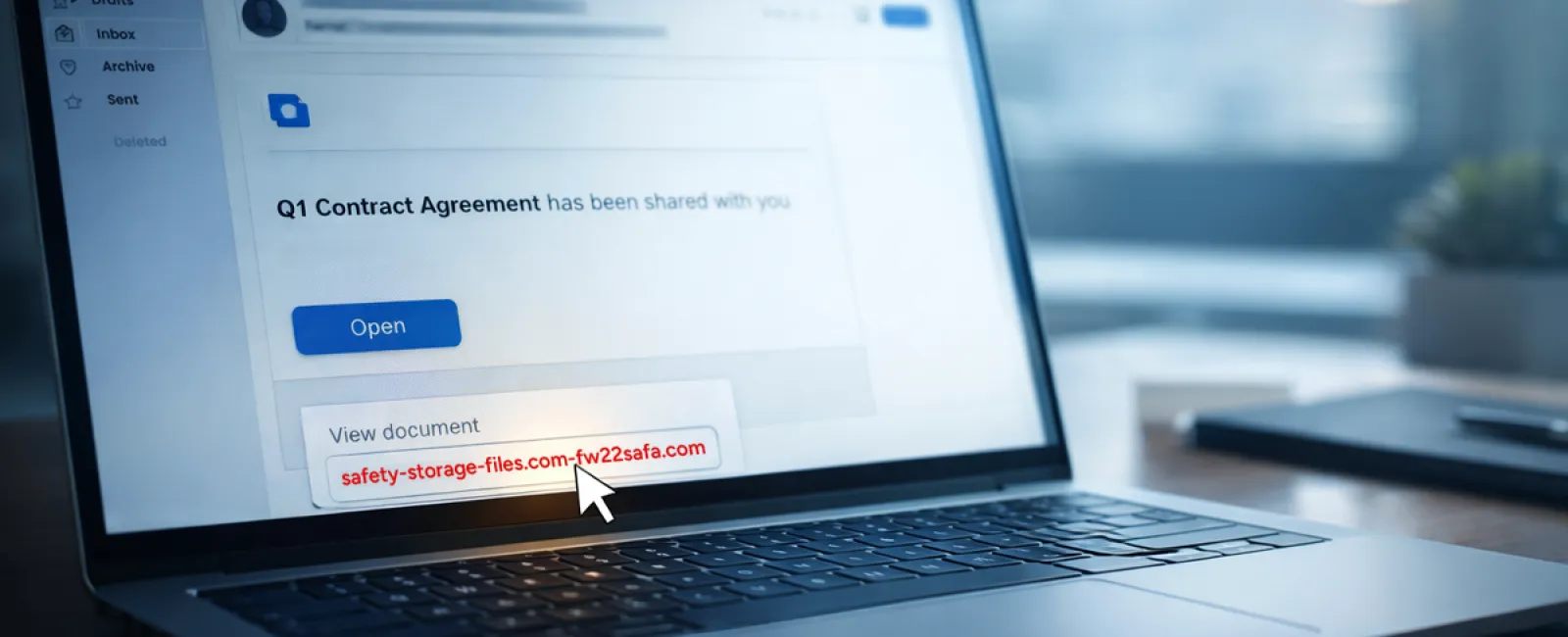
Scam #2: "Your File Is Ready" Phishing Emails
This scam is perfectly disguised as routine work communication.
Employees receive emails claiming a document was shared—often a contract via DocuSign, a spreadsheet in OneDrive, or a file on Google Drive.
The sender appears legitimate, and the format mirrors genuine file-sharing alerts.
Upon clicking, they're prompted to log in and enter credentials.
Once compromised, attackers gain access to your company's cloud environment.
These attacks have surged dramatically. Phishing leveraging trusted platforms like Google Drive, DocuSign, Microsoft, and Salesforce increased by 67% in 2025, with Google Slides phishing links spiking over 200% in just six months.
Employees are seven times likelier to click malicious links from OneDrive or SharePoint notifications because they that look identical to authentic alerts.
Advanced attacks use compromised accounts to send notifications from legitimate servers, bypassing spam filters.
Defense tip: Train employees to avoid clicking links in unexpected shared file emails. Instead, log in directly to platforms to verify documents. Restrict external file-sharing permissions and enable suspicious login alerts—simple IT configurations that dramatically lower risk.
Routine caution delivers powerful protection.
Scam #3: Highly Professional Phishing Emails
Gone are the days of poorly written phishing messages full of mistakes and red flags.
A 2025 study revealed AI-crafted phishing emails achieved a 54% click rate—over four times higher than human-written scams at 12%. These emails mimic real company names, roles, and workflows, harvested quickly from LinkedIn or websites.
Attackers now tailor emails by department: HR receives fake employee verification requests, finance teams get fraudulent vendor payment changes. In tests, 72% of employees responded to vendor impersonation emails—90% higher than other phishing types. These messages sound calm, professional, and urgent—just like any normal workday email.
Effective countermeasures: Always verify requests involving credentials, payment adjustments, or confidential info through a second method such as a call or chat. Hover over email addresses to check sender domains before clicking. Treat urgency in emails as a red flag signaling potential fraud.
Real security helps you stay calm, not panic.
Key Takeaway
All of these schemes exploit familiarity, authority, pressure, and the illusion that "this will only take a moment."
The true risk isn't careless employees but systems that expect everyone to stop, analyze, and make perfect decisions under stress.
When a rushed click threatens your day, the problem is a process flaw—not people.
Fortunately, processes are fixable.
How We Can Support You
Most business owners want protection without another daunting project or being the sole security trainer.
They seek peace of mind knowing their company remains secure beneath the surface.
If you're worried about your team's exposure—or know someone who should be—let's connect.
Book a clear, no-pressure discovery call where we'll cover:
• Current cyber risks affecting businesses like yours
• Common vulnerabilities within everyday workflows
• Practical strategies to cut risk without disrupting productivity
No scare tactics. Just straightforward conversations to uncover and solve your security concerns.
Click here or give us a call at 678-940-8992 to schedule your free 15-Minute Discovery Call.
If this isn't relevant to you, please forward it to someone who'd benefit. Sometimes awareness alone transforms a "would have clicked" into a "blocked attempt."


